
Download Newton Eyes – AI Vision Assistant for the Visually Impaired
Overview
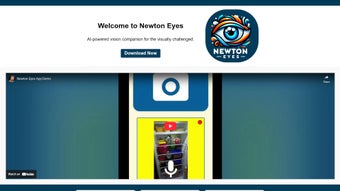
Newton Eyes is a web‑based AI vision assistant created specifically for people with visual impairments. By converting live camera feeds into clear, contextual audio cues, the tool helps users navigate everyday environments with confidence and independence. Unlike classic screen‑readers that rely on generic “left‑right” commands, Newton Eyes delivers scene‑aware guidance, identifying obstacles, reading signage, and describing objects in real‑time.
Because the service runs entirely in a browser, there is no bulky installation—only a stable internet connection and a camera‑enabled device are required. Regular updates keep the AI models aligned with the latest accessibility research, ensuring that users benefit from continuous improvements without manual intervention. Whether crossing a busy street, locating a product on a shelf, or moving around the home, Newton Eyes offers a seamless, secure, and privacy‑first experience that bridges the gap between cutting‑edge technology and everyday accessibility needs.
Key Features, Pros & Cons
What Sets Newton Eyes Apart
- Real‑time object identification: Instantly recognizes doors, chairs, vehicles, and many everyday items.
- Contextual navigation cues: Provides distance‑based instructions such as “a curb is 2 meters ahead.”
- Text extraction & reading: Integrated OCR reads signs, labels, and printed material in multiple languages.
- Voice‑controlled interaction: Simple voice commands start, stop, or adjust the assistant.
- Privacy‑first architecture: All visual data is encrypted in transit and never stored permanently.
- Cross‑platform accessibility: Works on Windows, macOS, Linux, Android, and iOS browsers.
- Customizable feedback: Users can select voice gender, speech speed, and cue detail level.
- Offline fallback mode: A lightweight JavaScript library offers limited functionality when connectivity drops.
Pros
- Highly accurate AI with minimal false positives.
- Zero‑install convenience – runs directly in the browser.
- Strong privacy model – no permanent storage of visual data.
- Customizable voice output for personal comfort.
- Broad cross‑platform reach covering desktop and mobile.
Cons
- Full functionality depends on a stable internet connection.
- Continuous camera use can drain battery on mobile devices.
- Initial learning curve for voice command vocabulary.
- Performance may degrade in very low‑light environments.
- Older browsers might not support the latest JavaScript features.
Overall, Newton Eyes delivers precise, context‑aware audio feedback that dramatically improves independence for visually impaired users. Its web‑first approach eliminates complex installations while maintaining a robust privacy framework. The few limitations—chiefly internet reliance and occasional battery drain—are outweighed by the tool’s accuracy, customizability, and broad device compatibility.
Installation, Usage, Compatibility & Frequently Asked Questions
Getting Started – No Download Required
Because Newton Eyes is a web application, the “installation” process is simply opening a supported browser and navigating to the official site. Ensure JavaScript is enabled (default in modern browsers) and grant camera access when prompted. For quicker access, add a shortcut to the desktop or home screen, turning the page into a pseudo‑app.
Step‑by‑Step Guide
- Open a modern browser: Chrome, Firefox, Edge, Safari, or any Chromium‑based mobile browser.
- Visit the official URL: newtoneyes.example.com and click “Start Assistant.”
- Allow camera access: Accept the permission dialog to enable live video analysis.
- Configure preferences: Use the gear icon to adjust voice settings, cue density, and language.
- Activate the assistant: Press the microphone button or say “Hey Newton” (if voice activation is enabled).
- Interact as needed: Request “repeat,” “pause,” or “details” to refine the audio feedback.
Operating System Compatibility Windows, macOS, Linux, Android, iOS
Newton Eyes runs on any device that supports HTML5, CSS3, and JavaScript. Desktop users on Windows 10/11, macOS Monterey or later, and popular Linux distributions experience smooth performance as long as the browser is up to date. Mobile users on Android 9+ and iOS 13+ can access the service via Chrome, Firefox, or Safari. Because AI processing occurs server‑side, the client hardware requirements are modest—essentially a camera and an internet connection.
Frequently Asked Questions
Is Newton Eyes completely free to use?
Yes, the core vision assistance features are free. A premium subscription is optional and provides higher‑resolution analysis, priority server access, and extended offline capabilities.
How does Newton Eyes protect my privacy?
All video streams are encrypted in transit and processed on secure servers. Images are never stored permanently; they are discarded immediately after analysis unless the user enables a short‑term cache for offline mode.
Can I use Newton Eyes on a low‑end tablet?
Since the heavy AI computation occurs server‑side, even modest hardware can run the web app smoothly. The main limitation is the quality of the device’s camera and the stability of its internet connection.
What languages does the voice feedback support?
Currently English, Spanish, French, German, and Mandarin are supported. Additional languages are planned based on community demand.
Is there a way to customize the level of detail in the audio cues?
Yes, users can adjust the “detail level” in the settings panel, ranging from basic obstacle alerts to full scene descriptions that include colors, distances, and object categories.
Conclusion & Call to Action
Newton Eyes stands out as a robust, AI‑driven companion for anyone seeking greater independence in daily navigation. Its web‑first design removes the barriers of traditional app installations, while precise, context‑aware audio feedback dramatically improves safety and confidence for visually impaired users. By prioritizing privacy, offering cross‑platform reach, and continuously updating its AI models, Newton Eyes sets a new standard in accessible technology. If you or a loved one could benefit from real‑time visual assistance, visit the official site now and start the free version today. Experience the future of inclusive design—download, explore, and empower your vision with Newton Eyes.



.png)



